

A Critical Flaw in PHP Itself — Not in WordPress
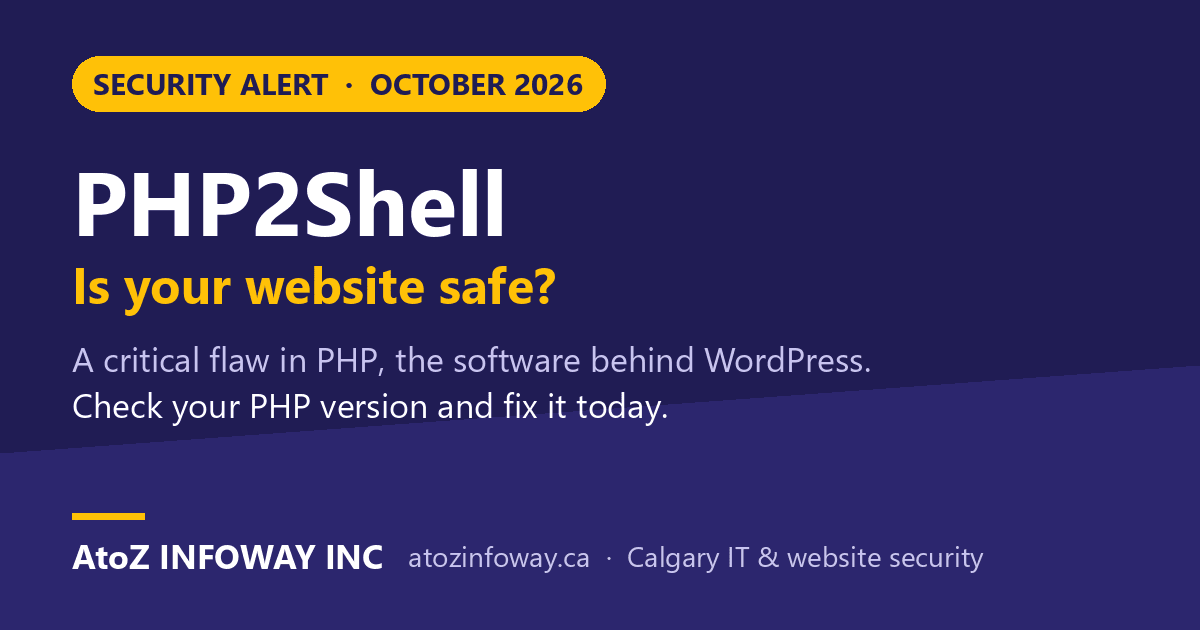
On 21 October 2026 the PHP project released emergency security updates for two critical flaws now known as PHP2Shell (CVE-2026-109618 and CVE-2026-109619). PHP is the programming language that runs WordPress, WooCommerce, Joomla, Drupal, Magento, OpenCart and a large share of the websites on the internet, so this is not a problem with one plugin or one theme. It sits underneath all of them.
Key Takeaways
- PHP2Shell refers to two critical PHP flaws, CVE-2026-109618 and CVE-2026-109619, disclosed on 21 October 2026.
- PHP2Shell lets attackers run their own code on a server without any login under the right conditions.
- Updating WordPress, themes and plugins does not change the PHP version that a hosting company controls.
- Websites running PHP 8.5.12, 8.4.27, 8.3.36 or 8.2.35 are protected from the PHP2Shell flaws.
Details of the flaws leaked a day before the planned release, and Cloudflare reported attack traffic aimed at them within hours, before the fix was even published. If your business runs a website built on PHP, now is the time to check it.
What PHP2Shell Can Do to a Website
Both flaws are rated 9.2 out of 10 for severity. In plain terms:
- Takeover without a password. An attacker can send specially crafted requests to your website and, under the right conditions, run their own code on your server. No login is needed.
- Leaked secrets. One of the flaws can also expose pieces of the server’s memory, which may contain passwords, session tokens, API keys and other secrets your website uses.
- Everything on the server is at risk. Once someone controls the server, they can deface pages, inject spam or malware, steal customer data, redirect your visitors, or use your site to attack others.
The flaws affect every common way PHP is run on web servers: Apache with mod_php (the highest risk), PHP-FPM, LiteSpeed, php-cgi and FrankenPHP. Successful attacks need specific conditions, but researchers have already demonstrated working code execution, and attackers are actively probing for vulnerable sites.
Why Updating WordPress Does Not Fix It
This is the part most business owners miss. Updating WordPress, your theme and your plugins is good practice, but none of those updates change the version of PHP your server runs. PHP is installed and controlled by your hosting company (or whoever manages your server). Until they update it, your site stays exposed, even if WordPress says everything is up to date.
Is Your Website Affected? Check in Two Minutes
You are protected from PHP2Shell if your website runs one of these versions or newer:
- PHP 8.5.12
- PHP 8.4.27
- PHP 8.3.36
- PHP 8.2.35
To see your version in WordPress, go to Tools → Site Health → Info, open the Server section and look for PHP version. On cPanel hosting you can also find it under Select PHP Version or MultiPHP Manager.
Two things to keep in mind:
- PHP 8.1, 8.0, 7.4 and older no longer receive official updates. The PHP team published emergency patches that server administrators can build themselves, and some Linux vendors ship their own fixes, but the safe path is to move to a supported version. PHP 8.2 also reaches end of life on 31 December 2026, so we recommend PHP 8.3 or newer.
- Some hosts (and Linux distributions such as Ubuntu or Debian) apply security fixes without changing the version number. If your version looks older than the list above, ask your host whether the PHP2Shell fix has been applied before assuming the worst.
How to Protect Your Website: Step by Step
- Ask your host to update PHP today. Send them your website address and current PHP version, and ask for the October 2026 PHP2Shell fix (CVE-2026-109618 and CVE-2026-109619), or confirmation it is already applied.
- Move off unsupported PHP. If you are on PHP 8.1 or older, plan an upgrade to PHP 8.3 or newer. Older WordPress themes and plugins sometimes break on a newer PHP, so test on a staging copy first.
- Make sure the update is really live. After patching, PHP worker processes need to be restarted, otherwise the old code keeps running. Re-check the version in Site Health afterwards.
- Change your passwords and keys. Because one flaw can leak memory, rotate your WordPress admin passwords, database password, and any API keys stored on the site (payment, email, CRM, analytics).
- Look for signs of trouble. Check for unknown admin users, unfamiliar files, new redirects or spam pages, and unusual spikes in server errors or memory use.
- Keep a clean backup. A recent off-site backup lets you recover quickly if something was changed before you patched.
Temporary Safeguards If You Can’t Update Right Away
If you manage your own server and can’t update immediately, the PHP team lists stopgap measures. They reduce exposure but do not make a server safe, so treat them as a bridge to the real update:
- Turn off
session.upload_progress.enabledin your server’s PHP configuration and restart all PHP workers. - On PHP 8.5, set
fatal_error_backtraces=0. - Limit the size of form and upload requests (
post_max_size), and block file-upload requests on sites that don’t need them. - Put the site behind a web application firewall such as Cloudflare, which has added protection rules for PHP2Shell.
Settings changed from inside WordPress or a .user.ini file are not enough. These have to be set at the server level, which is why most businesses on shared hosting will need their host’s help.
How AtoZ INFOWAY Can Help
AtoZ INFOWAY INC helps Calgary businesses and organisations across Canada keep their websites secure. If you’re not sure where to start, we can:
- check which PHP version your website really runs and whether the PHP2Shell fix is in place,
- upgrade your site to a supported PHP version, testing your theme and plugins first so nothing breaks,
- work with your hosting company on your behalf, or move you to better-maintained hosting,
- rotate exposed passwords and keys, check for signs of compromise, and set up backups and monitoring.
Learn more about our website development and maintenance and vulnerability assessment services.
Need help upgrading PHP and protecting your website? Fill in our contact form with your website address, and our team will get back to you with a clear next step.
FAQ
What is PHP2Shell?
PHP2Shell is the nickname for two critical security flaws in the PHP programming language (CVE-2026-109618 and CVE-2026-109619), fixed on 21 October 2026. Under the right conditions they let an attacker run code on a web server without logging in, and one of them can leak secrets from server memory.
Is WordPress safe from PHP2Shell?
WordPress itself is not the flaw, but every WordPress site runs on PHP, so a WordPress site is only safe once its server runs a patched PHP version (8.5.12, 8.4.27, 8.3.36, 8.2.35 or newer) or the host has applied the fix. Updating WordPress and plugins alone does not fix it.
How do I check my website’s PHP version?
In WordPress, go to Tools → Site Health → Info and open the Server section. The PHP version is listed there. Your hosting control panel (for example cPanel) also shows it.
My site runs PHP 8.1 or older. What should I do?
PHP 8.1 and older no longer get official security updates. Ask your host to move your site to PHP 8.3 or newer, and test your theme and plugins on a staging copy first. If your host can’t help, a web professional can manage the upgrade for you.
Do I need to change my passwords?
It’s a sensible precaution. Because one of the flaws can expose server memory, change your WordPress admin passwords, database password and any API keys stored on the site once PHP has been updated.